
If you recently activated Agentforce, there’s a good chance you’ve already asked yourself this:
“Why am I being charged if I barely used it?”
You’re not alone.
One of the biggest gaps we’re seeing right now is not in adoption… but in visibility.
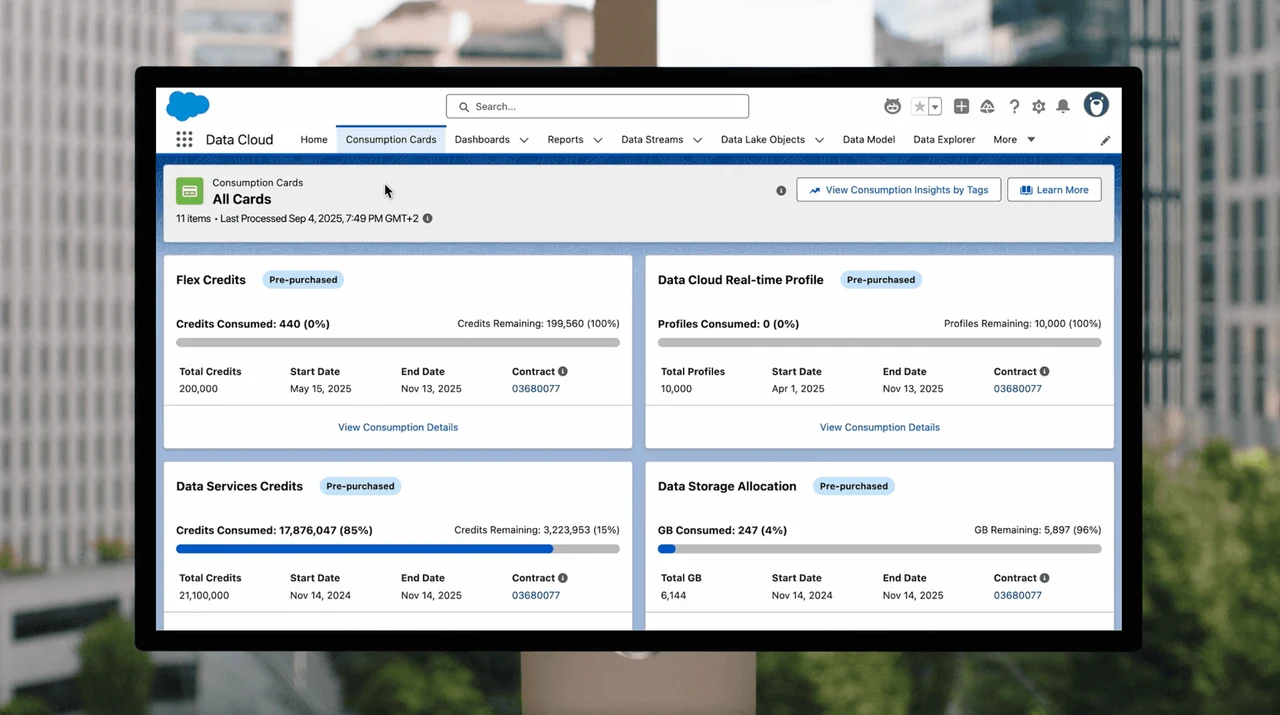
Salesforce introduced the Salesforce Digital Wallet to solve exactly this but most teams don’t know how to read it properly.
Let’s break it down.
What is the Digital Wallet in Salesforce?
The Digital Wallet is where Salesforce tracks your consumption-based products, including Agentforce.
Instead of fixed licenses, Agentforce works on a usage model, meaning:
You are charged based on interactions
Not just active users
Not just “go-live”
This is where confusion starts.
Because testing also counts.
What Actually Consumes Agentforce Credits?
Here’s the part most teams miss:
Even if you haven’t launched anything publicly, usage can still happen through:
Prompt testing in Prompt Builder
Internal testing with agents
Background executions (flows or automations calling agents)
API-based interactions
Debug sessions
If you’ve “played around” with prompts… you’ve likely generated consumption.
Where to See Your Real Usage
Go to:
Setup → Digital Wallet
Inside the wallet, you’ll typically see:
Total credits available
Credits consumed
Remaining balance
Consumption trend over time
But here’s the key:
👉 This is aggregated data, not always actionable by itself.
How to Actually Understand the Numbers
To make this useful, you need to go one level deeper:
1. Look at Consumption Over Time
Check when usage started increasing.
Ask yourself:
Did we test something that day?
Did someone on the team run prompts?
2. Cross-check with Activity
Agentforce doesn’t always show “who did what” directly in the wallet.
So you need to connect it with:
Prompt Builder usage
Flow executions
User activity (who has access)
3. Identify Hidden Usage
This is where most unexpected costs come from:
A flow calling an agent repeatedly
A prompt being tested multiple times
A sandbox test accidentally done in production
Why You Might Be Seeing Charges Already
Based on what we’re seeing across clients, the most common reasons are:
Initial testing during setup
Prompt experimentation
Background automation triggers
Misconfigured flows
In short: you don’t need to “launch” Agentforce to start consuming it.
Best Practices to Control Agentforce Costs
If you're just getting started, do this immediately:
Test in a controlled way
Avoid testing directly in production.
Limit access
Not everyone should be experimenting with prompts.
Monitor weekly (not monthly)
By the time you check monthly, it’s too late.
Document what triggers usage
Every agent should have:
A clear purpose
A known trigger
A defined owner
Final Thought
Agentforce is powerful, but it’s not a “set it and forget it” tool.
It behaves more like cloud infrastructure:
If it runs, it consumes.
If it consumes, it costs.
Understanding your Digital Wallet is the first step to making sure you're investing, not just spending.